Groups
Groups (/assurance/groups) holds the lists that alert rules, policies and reports are built on: sensitive-data groups, command groups, and user, server and other groups. This page describes the four tabs: Sensitive-data groups, Command groups, User, server and other groups and History.
Community Enterprise
Who can open it: administrator, analyst, DBA and auditor.
| Action | Who |
|---|---|
| Read all tabs | All four roles |
| Create, edit and delete groups; add, pin and remove members; false positives; command group changes | Administrator |
| Mark new members as reviewed | Administrator and auditor |
The selected tab is kept in the address (?tab=groups, commands, general, history).
Concepts
A label (class) says what the data is; a group says where policy applies. An object can be in several groups.
| Group type | Members come from |
|---|---|
| Dynamic | A membership rule over the sensitive-data catalog. Members are updated after every scan or reclassification. |
| Static | You add the members by hand (for example the tables of one application). |
A newly discovered object joins every matching dynamic group at once, so alert rules cover it immediately; it is only marked new for review. The first fill of a new group is its baseline and is not counted as new.
Sensitive-data groups tab
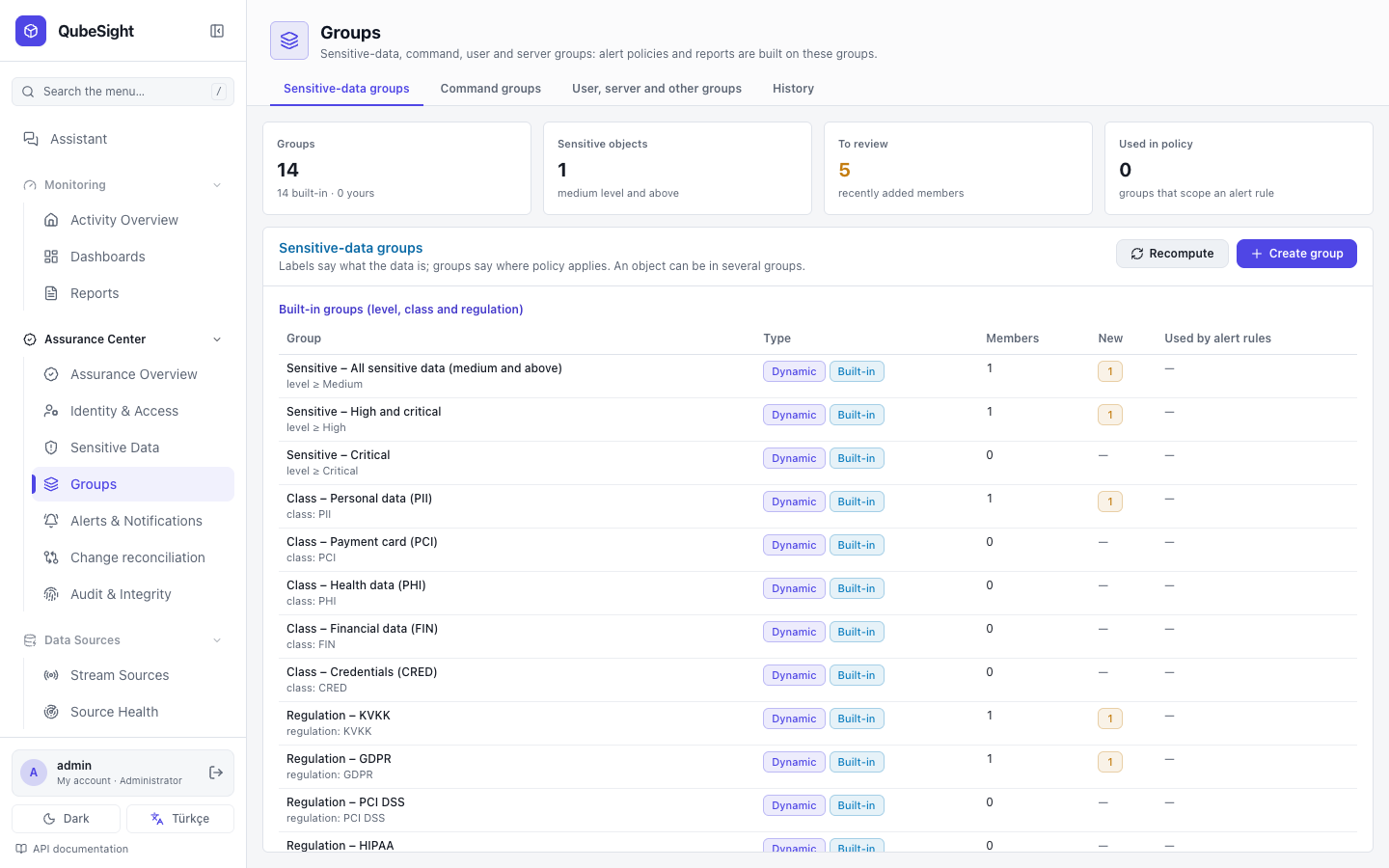
Statistics
| Card | Meaning |
|---|---|
| Groups | "N built-in · M yours". |
| Sensitive objects | Objects at medium level and above. |
| To review | Recently added members not yet reviewed. |
| Used in policy | Groups that scope an alert rule. |
Group lists
Built-in groups (level, class and regulation) are 14 dynamic groups:
| Kind | Groups |
|---|---|
| Level | All sensitive (medium and above), high, critical |
| Class | PII, PCI, PHI, FIN, CRED |
| Regulation | KVKK, GDPR, PCI DSS, HIPAA, BDDK, SOX |
Your groups lists the groups you created ("You have not created a group yet.").
| Column | Meaning |
|---|---|
| Group | Name; Built-in badge. |
| Type | Dynamic or Static. |
| Members | Count. |
| New | "N new" members to review. |
| Used by alert rules | Rules that use the group as their scope, or "No alert rule uses it". |
Buttons (administrator): Recompute, which recomputes all dynamic groups at once ("Groups recomputed: N added, M removed"), and Create group.
Create or edit a group
| Field | Meaning |
|---|---|
| Name, English name (optional) | Display names. |
| Type | Dynamic or static. |
| Membership rule (dynamic) | Every filled condition must hold; within classes and regulations any one is enough. Non-sensitive objects never join. |
| Class (label) | PII, PCI, PHI, FIN, CRED. |
| Regulation | Prefix of the regulation in the catalog: "KVKK" covers every KVKK article, "KVKK Md.6" only special-category data. |
| Minimum level | Any, low, medium, high, critical. |
| Database name, Object name | Patterns; * and ? allowed; empty means all. |
| Note | Free text. |
Delete group: "The members stay in the catalog; the history is kept."
Group detail
Open a group to see three sub-tabs.
Members
| Column | Meaning |
|---|---|
| Object | database.object. |
| Level, Class | Copied from the catalog. |
| Source | Rule (catalog) or By hand; pinned objects show "added by hand". |
| Added | When; a new badge for unreviewed members. |
Controls: search ("Search database or object"), New only, Added by hand, Mark new members reviewed (N), Remove from group.
| Action | Effect |
|---|---|
| Add objects (static) | One object per line, database.object (for example crm.dbo.CUSTOMER). Level and labels are copied from the catalog. |
| Add by hand (pin) (dynamic) | Pins objects so they stay in the group even if they do not match the rule; recalculation does not remove them. |
| Remove pin | The rule decides again: if the object still matches it stays, otherwise it leaves the group and drops out of alert scope. |
| Mark as false positive (N) | Selected objects leave the group and the rule never adds them back; they also drop out of alert scope. The catalog classification does not change. A Reason (up to 500 characters) is required and written to the audit log. |
False positives lists objects marked as false positive with Reason and Who · when. Undo restores them: at once in a static group; in a dynamic group only if they still match the rule.
History shows the group's events with the same columns and filters as the History tab, without the Group column.
Command groups tab
Command groups shows which commands each command class used in reports and dashboards really contains, for example which verbs count as DML or DDL. Classes: Read, Data write, Schema, Privileges, Transaction control, Run procedure, Session / environment, Flow / block, Administration / monitoring.
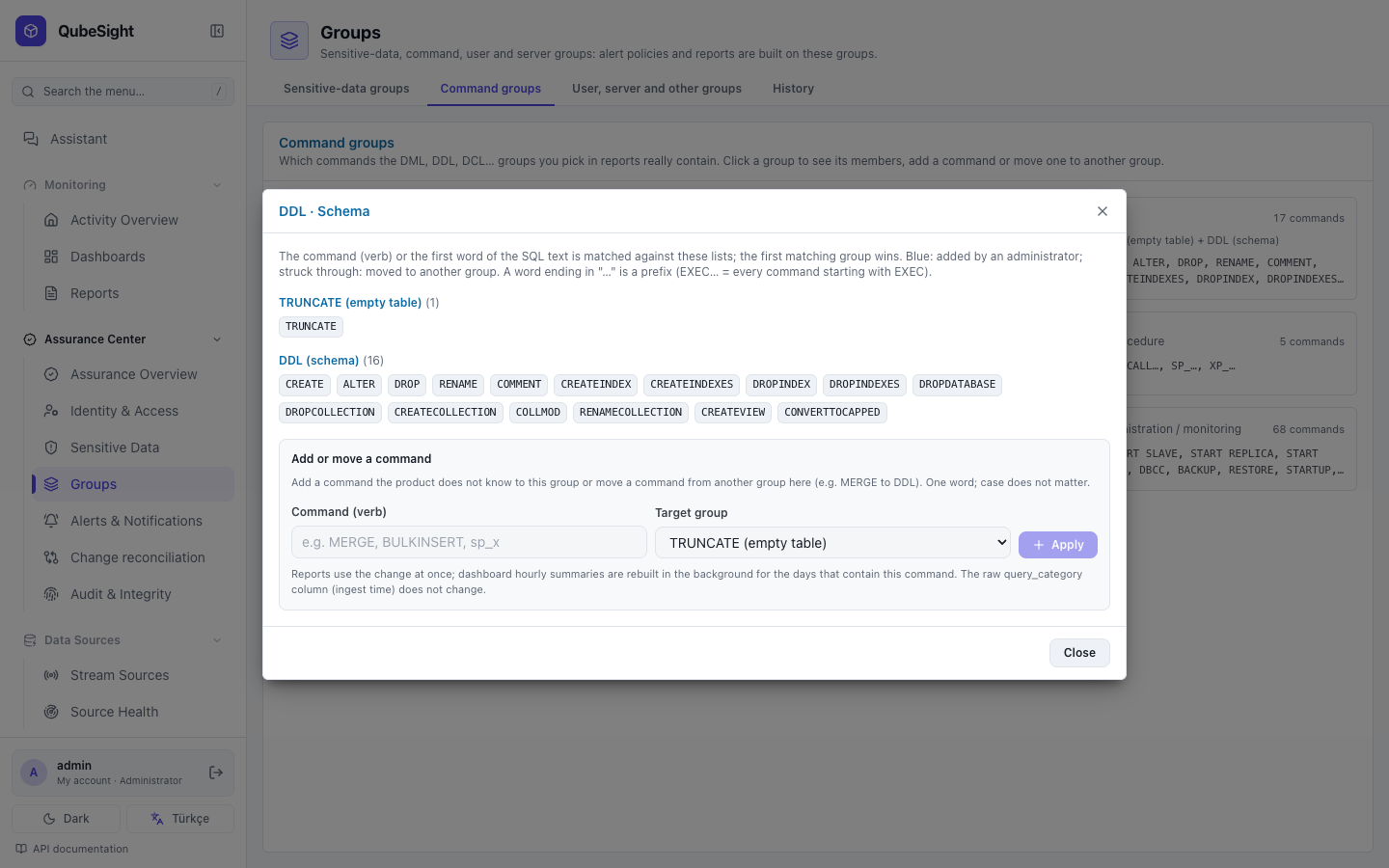
Each group is a card with the class code (for example DML) and its name, "N commands", an "N change(s)" badge when an administrator changed it, "Includes: …" when the group combines several operation classes, and the first 18 commands, with administrator-added commands first and in blue.
Click a card to see all members, grouped by operation class with a count. The verb, or the first word of the SQL text, is matched against these lists; the first matching group wins. A word ending in "…" is a prefix. Commands added by an administrator are shown in blue ("Added by
| Control | Effect |
|---|---|
| Add or move a command | Command (verb) (one word, case-insensitive) and Target group, then Apply. Adds a command the product does not know or moves one to another group, for example MERGE to DDL. |
| Undo on a changed command | Returns it to its default group. |
| Reset to defaults | Shown when there are changes. Deletes all changes after a confirmation ("N change(s) will be deleted; every command returns to the product group."). |
Reports use a change at once; dashboard hourly summaries are rebuilt in the background for the days that contain the command. The raw query category written at ingest time does not change.
User, server and other groups tab
User, server, object and other groups used by report filters (in group) and policies. They are created by hand or imported once from Guardium, and are the same list as Guardium → Groups. Groups whose type is COMMANDS are the command lists used in Guardium policy rules. Groups and their members are kept in QubeSight; changes are not pushed to Guardium appliances.
| Element | Meaning |
|---|---|
| Status line | "Guardium connected · first import available", "Guardium connected · groups are managed in QubeSight" or "Guardium not connected · QubeSight groups are available". |
| New Group | Opens New QubeSight group: Group name, Type, Application, members (type and press Enter, or Import JSON/XML), Save to QubeSight. |
| Import from Guardium for the First Time | Copies the Guardium groups once. |
| Refresh | Reloads the group list (tooltip "Refresh QubeSight groups"). |
| Search | "Search by group name or ID", All types. |
| Table | Group, Type, Members, Source (Guardium or QubeSight), Actions (Members, Edit, Delete). |
| Empty table | "No groups yet. You can create a new group." or, with a search or type filter, "No groups match your search." |
| Paging | 20 groups per page. With more than one page, the footer shows "a–b of N groups · Page p/n" with previous and next page buttons. |
| Members window | Add, search and delete members; Import JSON/XML, Export JSON, Export XML. |
Limits: a member value can be at most 2,048 bytes; a group can contain at most 10,000 members; an import file can be at most 5 MB.
History tab
Group history: additions, removals and reviews of every group (audit trail).
| Column | Meaning |
|---|---|
| Time | When. |
| Group | Group name. |
| Event | Created, First fill, Changed, Deleted, Added, Removed, Reviewed, False positive, False positive undone, Added by hand (pinned), Pin removed. |
| Object | database.object, with a note such as "stayed because it matches the rule" or "left the group"; for First fill, "First fill: N member(s) (baseline, not counted as new)". |
| By | The user, or System (automatic). |
Filters:
| Filter | Options |
|---|---|
| Time range | Last 24 hours, Last 7 days, Last 30 days (default), Last 90 days, Last 1 year, Custom range (shows From and To). |
| Event | All (default) or one of the events above. |
| Search | "Object, group or actor". |
The list shows 25 events per page with a pager below it. With no match: "No records."
Where groups are used
- Alert rules: sensitive-object rules can use Sensitive-data groups as their scope instead of a level threshold; alert messages and syslog carry the group names. See Alerts & Notifications.
- Reports: the in group operator accepts sensitive-data groups and user/server/other groups. See Reports.
Limitations
- Sensitive-data groups work at object (table) level; column-level groups are not available.
- User, server and other groups are not synchronised back to Guardium.
- A false-positive mark in a group does not change the catalog classification; use Sensitive Data to correct the classification itself.